Gangnam Style AI Dance Video Generator

Make a Gangnam Style AI dance video with two friends. Each of you takes a solo turn at the camera, then all three break into the horse-riding dance in front of a snowy castle.

Horse-riding danceFrom @superxsonic4

Your group photo

Frame

About the trend

What is the Gangnam Style AI trend?

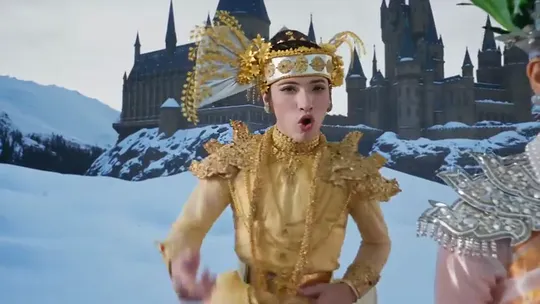
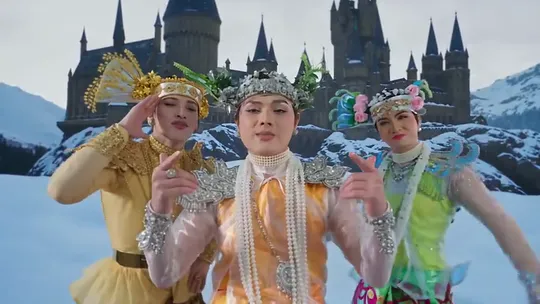
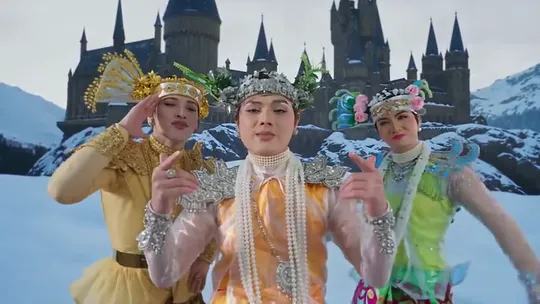
Gangnam Style AI is a TikTok trend that drops three people into PSY’s famous horse-riding dance. Set against a snowy mountain and a dark castle, each dancer gets a solo moment at the camera before all three ride the invisible horse together. The most-viewed version, a Burmese clip from October 21, 2026, shows three dancers in gold, green and pearls taking turns at the lens. It passed 2.8 million plays.

The dance dates back to 2012, when Gangnam Style became the first YouTube video to hit a billion views. Fourteen years later, AI remakes of it spread across TikTok in several languages. With this generator, the three dancers are you and two friends, each dressed in the outfit from their own photo.
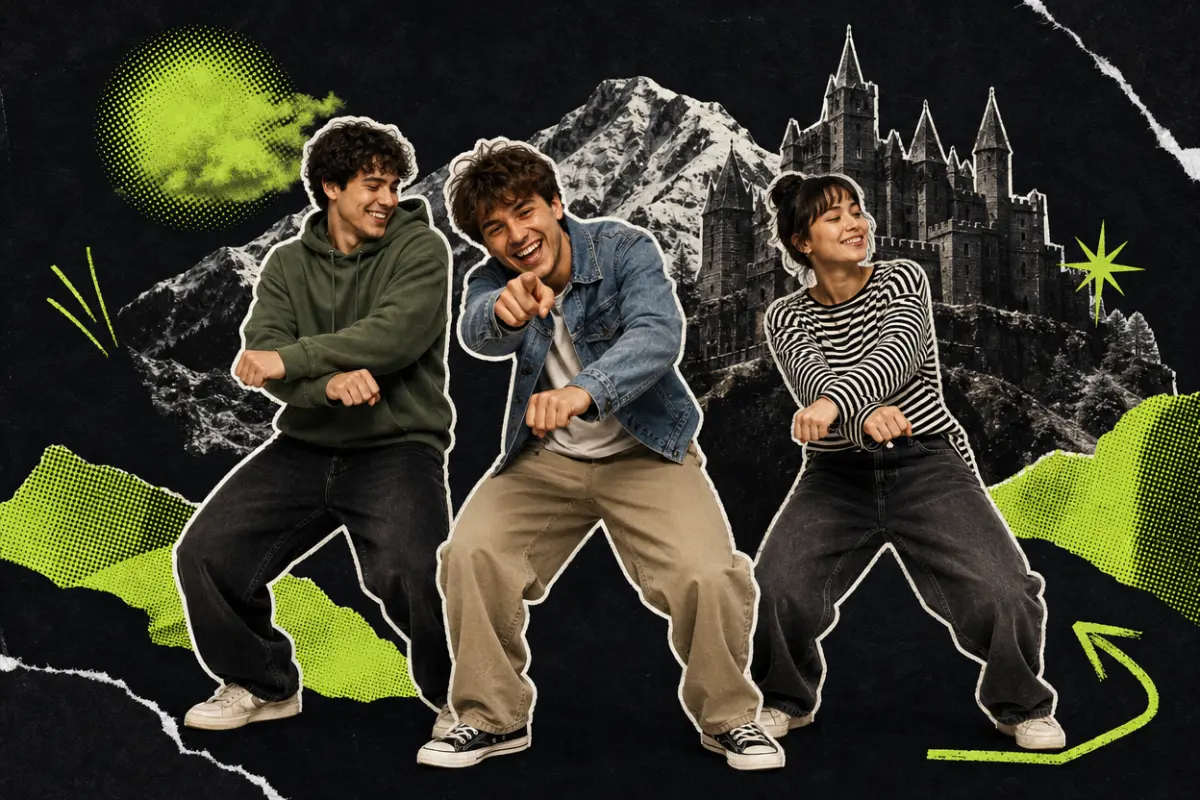
Three friends in a hoodie, a denim jacket and a striped top do the horse-riding dance before a snowy mountain and a dark castle, the middle one pointing at the viewer

Shot by shot

  1. First friend1

    First friend

    Your first friend opens solo in front of the snowy castle, one hand on the chest, the other on the hip, arms swinging.
  2. Second friend2

    Second friend

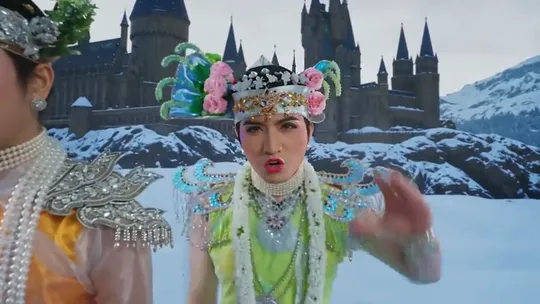
    A quick whip pan brings your second friend to center stage, saluting with one hand and singing along.
  3. Your close-up3

    Your close-up

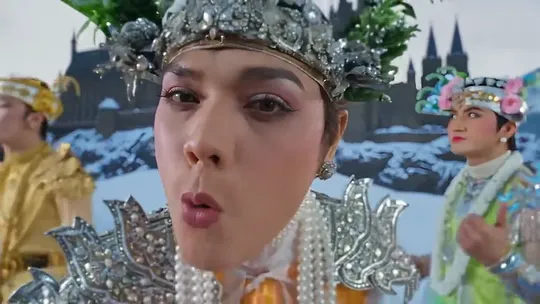
    You step right up to the lens, point at the viewer and rap the line.
  4. Horse-riding dance4

    Horse-riding dance

    All three of you ride together: wrists crossed and bouncing on imaginary reins, then both hands up, waving to the beat.
Seen on TikTok

Gangnam Style AI videos on TikTok

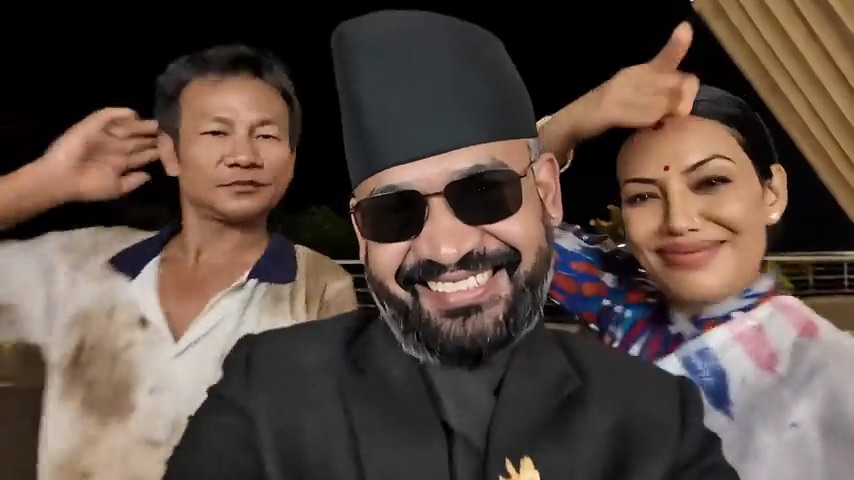
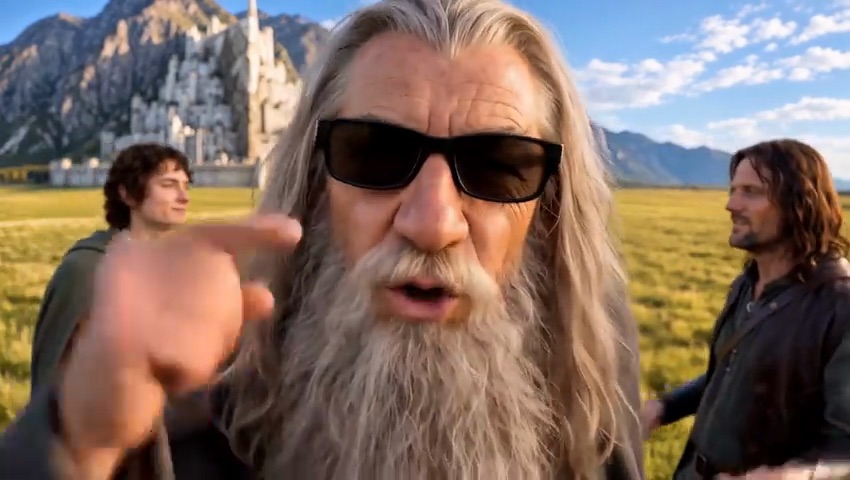
Other trios have done it on a rooftop terrace, or as a sunglasses-wearing wizard with two travelers beneath a white city. Seen one of these?

Tutorial

How to make a Gangnam Style AI video

Use one group photo or separate photos. Choose landscape or portrait. The choreography is built in, and you can swap the background if you like.

  1. 01

    Step 1: Upload a group photo

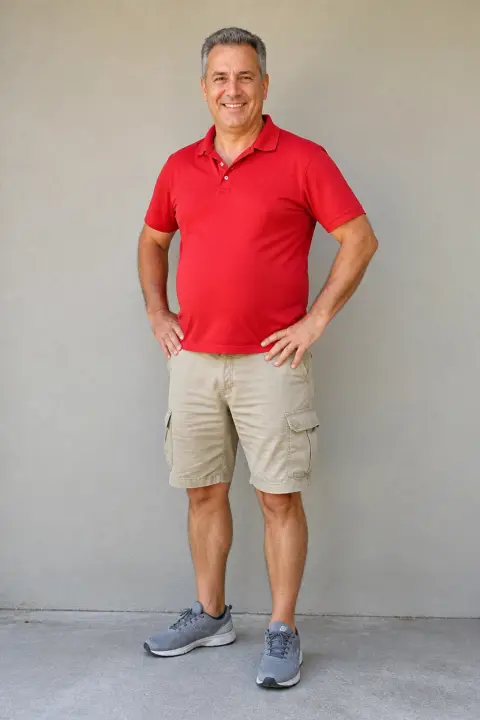
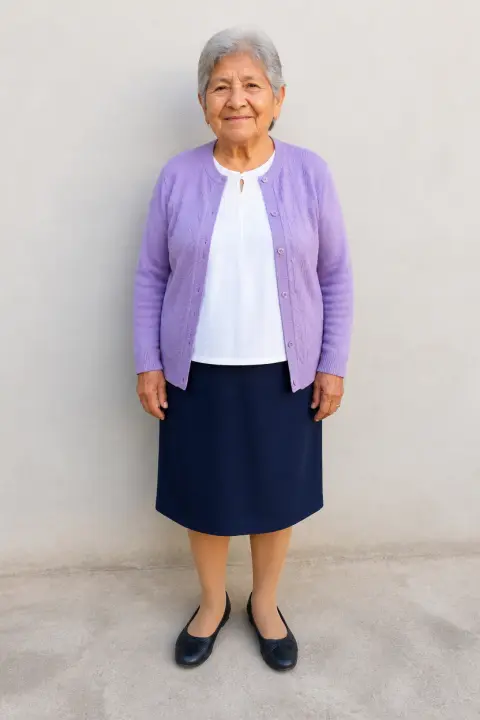
    Use a photo of you and up to two friends, all faces visible. From left to right: first friend, you, second friend. The person in the middle gets the close-up.

  2. 02

    Step 2: Or use separate photos

    Switch to Separate photos: a solo shot of you in the first slot, one friend in each of the others. An empty slot keeps the original dancer.

  3. 03

    Step 3: Choose the frame and background

    Landscape matches the original; portrait fills a phone screen. The snowy castle stays unless you open Add your own details and describe a new setting, such as a beach at sunset.

  4. 04

    Step 4: Confirm permission

    Tick the box to confirm everyone is an adult who has agreed. Your uploads are kept if you sign in or top up credits in between.

  5. 05

    Step 5: Generate

    Press the button and the video renders in the background. Feel free to leave; it will be in My videos when it is ready.

  6. 06

    Step 6: Download

    Save it as an MP4 with one tap.

  7. 07

    Step 7: Share

    Post to TikTok with the AI-generated content label on, and tag both friends.

Make our Gangnam Style video
Sample photo of an adult with a clear faceYou
Sample photo of an adult with a clear faceFirst friend
Result: Horse-riding danceResult
Your photos on the left, the finished horse-riding dance on the right.

Photo tips

Best photos for a Gangnam Style AI dance

You need one group photo of you and up to two friends, or one photo per person. You stand in the middle and get the close-up, so your face needs to be sharp. Each friend has a few seconds of solo dancing before everyone lines up together. Outfits carry over from each photo, so a hoodie or office shirt in front of a castle adds to the fun. Front-facing, waist-up shots work best.

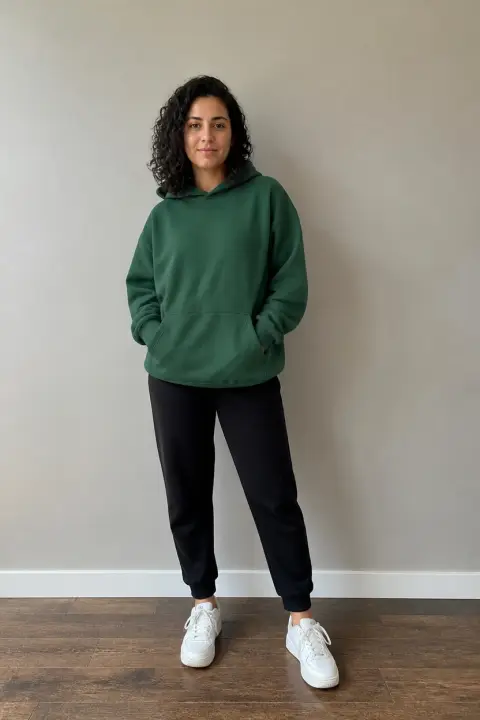
  • Sample photo: a young woman with dark curly hair in a green hoodie and joggers, standing with her face clearly visible
    Sharp face, bright light
  • Face in shadowTryShoot near a window
    Face in shadow
  • Strong filterTryUpload the unedited photo
    Strong filter
  • Face too smallTryMove closer: waist-up or full body
    Face too small

Do

  • One adult per photo
  • Waist-up or full body so outfits show
  • Clear, front-facing face with hair visible
  • Natural light or a bright room, minimal filters

Avoid

  • Group shots with tiny faces
  • Sunglasses, hats or faces turned away
  • Celebrities or public figures
  • Children or anyone who has not agreed

Trend history

Where did the Gangnam Style AI trend come from?

A 2012 dance craze met AI in October 2026. Dates are taken from YouTube records and the original TikTok posts.

  1. July 15, 2012

    Gangnam Style

    PSY releases Gangnam Style. Within weeks, its horse-riding dance, wrists crossed on invisible reins, is being copied worldwide.

  2. December 21, 2012

    One billion views

    Gangnam Style becomes the first YouTube video ever to pass one billion views.

  3. October 20, 2026

    First AI trios

    AI clips put famous movie trios into the horse dance in front of a castle. The top one passes 800,000 plays.

  4. October 21, 2026

    The Burmese version

    A Burmese version follows, with three dancers in traditional dress taking turns at the camera before the horse dance. It passes 2.8 million plays.

  5. October 22–23, 2026

    Search interest climbs

    Google searches for “gangnam style ai” begin climbing as people look for a way to make their own.

Troubleshooting

Gangnam Style AI video not looking right?

With three dancers, a problem usually comes from one of the photos.

  • A friend doesn’t look like themselves

    Each photo should show one friend alone, front-facing and sharp. A small or blurry face leaves the AI guessing, so use a closer, clearer shot and try again.

  • We are in the wrong positions

    The first slot gets the close-up, the second dances first and the third dances second. Rearrange the photos and generate again.

  • Our outfits changed

    Outfits come from the photos. A face-only close-up leaves the AI guessing, so use waist-up shots or wider.

  • Someone is wearing a crown or pearls

    The original dancers wear headdresses and pearls, and they can carry over. Use a photo where the hair is clearly visible and try again.

  • A photo won’t upload

    JPG, PNG and WEBP are supported. If an iPhone HEIC photo won’t open, screenshot it and upload the screenshot.

  • The video never finished

    Failed renders refund their credits automatically. Upload the photos again and press generate.

Sharing

Sharing your Gangnam Style AI video

It is funniest when viewers know all three of you. Tag both friends and keep the caption short.

Caption ideas

Hashtags

  • #gangnamstyle
  • #gangnamstyleai
  • #horsedance
  • #aidance
  • #aitrend
  • #friends
  • #aivideo
  • #fyp
  • Tag your crew

    The joke lands when people recognize the dancers. Tag both friends or add their names as on-screen text.

  • Add the AI label

    Switch on TikTok’s AI-generated content label. The castle and the moves look real, and nobody should think you actually flew there.

Pricing

One-time credit packs, no subscription

Buy credits once and spend them on any template. They never expire, and a failed render refunds them automatically.

Starter

$9.90

15 credits per $1

150 credits

15 s of video

  • Every template, plus text and image to video
  • No watermark
  • Credits never expire
Most popular

Creator

$29.90

23.5 credits per $1 · 56% more

700 credits

1 min 10 s of video

  • Every template, plus text and image to video
  • No watermark
  • Credits never expire

Pro

$59.90

26.5 credits per $1 · 76% more

1,600 credits

2 min 40 s of video

  • Every template, plus text and image to video
  • No watermark
  • Credits never expire
Best value

Studio

$299

30 credits per $1 · 100% more

9,000 credits

15 min of video

  • Every template, plus text and image to video
  • No watermark
  • Credits never expire

Gangnam Style AI FAQ

How do I make a Gangnam Style AI dance video?

Upload a group photo of you and up to two friends (or one photo each) at the top of this page, choose landscape or portrait, confirm and press generate. Download the MP4 and post it with the AI label on.

Do I need an app or a Gangnam Style AI filter?

No. The Gangnam Style AI effect you see on TikTok is generated from photos, and this page does it right in your browser.

Can I make it with only my photo?

Yes. Upload only yours and the two original dancers keep their parts. Adding a sibling, parent or coworker makes it funnier.

Can I use one group photo of all three of us?

Yes, that is the default. From left to right the roles are first friend, you, then second friend. Faces must be clear; if everyone looks small, switch to Separate photos.

Can I put PSY or other celebrities in it?

No. Every photo must be you or a consenting adult. Celebrities and public figures are not allowed.

Can my kids join in?

No. Photos of anyone under 18 are not allowed. Make one with two adult friends or family members instead.

What happens to our photos?

They are used only for your video and deleted when you delete it. Your video stays private unless you share it, and uploads are never used to train AI models.

Why was a photo rejected?

Only JPG, PNG and WEBP files are accepted. iPhone HEIC photos sometimes won’t open in a browser, so upload a screenshot instead. Large files are resized automatically.

Copy AI Video is an independent tool, not affiliated with or endorsed by PSY, his label, the TikTok creators or TikTok. All videos are AI-generated; please label them as AI when you post.